All guidesStart here
Your first day
Five minutes from now you will have a day on the dial, and you will know the three things you do in Rondia: add, move and finish. Do it with tomorrow's real plans, or with the kid whose day it is.
Before you start
Rondia runs on an iPhone or iPad with iOS 18.0 or later. It is free for 7 days and there is nothing to sign up for.
Step 1: Open it and look at the cards
The first time you open Rondia, a few cards explain the idea over a small dial you can play with. Swipe through them or tap Next. On the second card, try dragging the edge between two blocks.
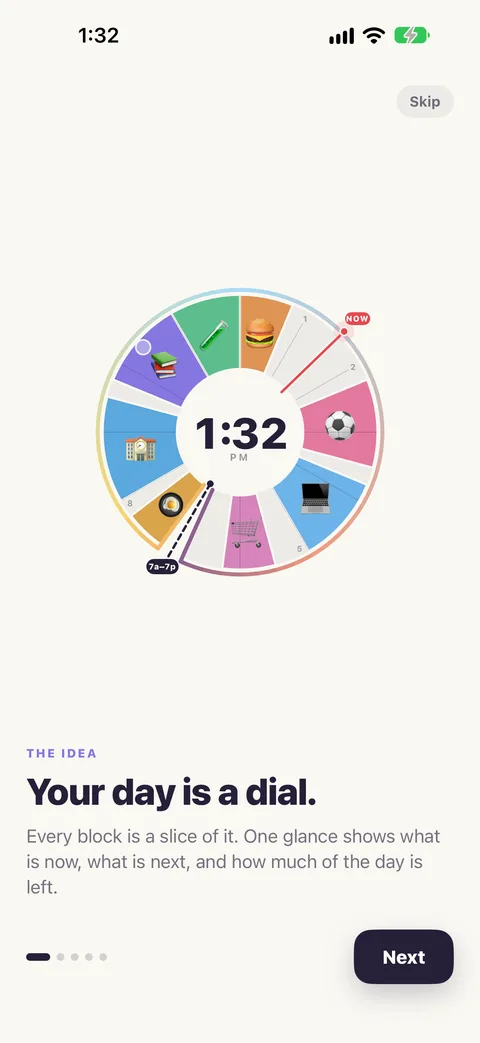
The last card says how the free week works. Tap Get started.
Step 2: Meet the empty day
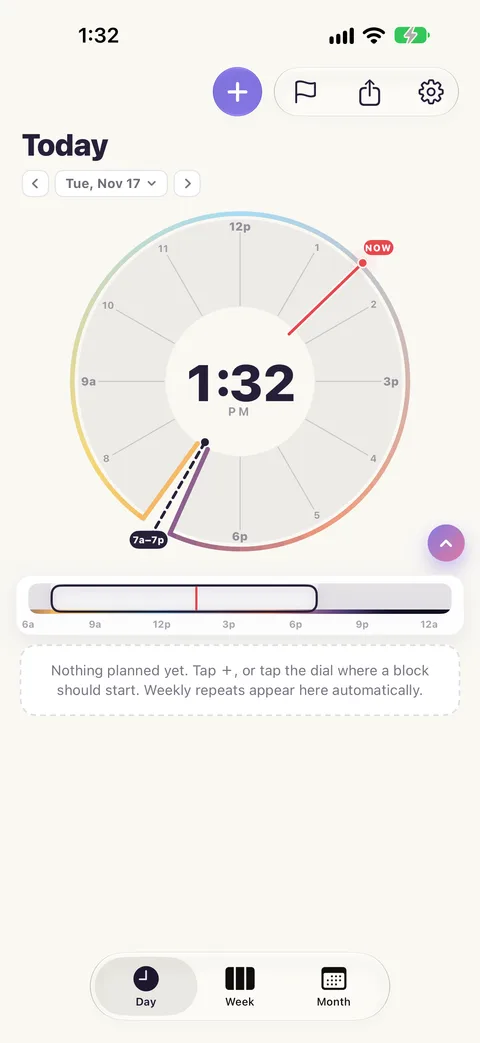
This is your day with nothing on it yet: the dial on top, your list underneath. The red line is now.
Step 3: Add your first block
Tap + at the top. In the box, type what you are doing and when, all in one line:
Homework at 4pm for an hour
Rondia reads it back under the box so you can check it understood. Tap Add to my day.
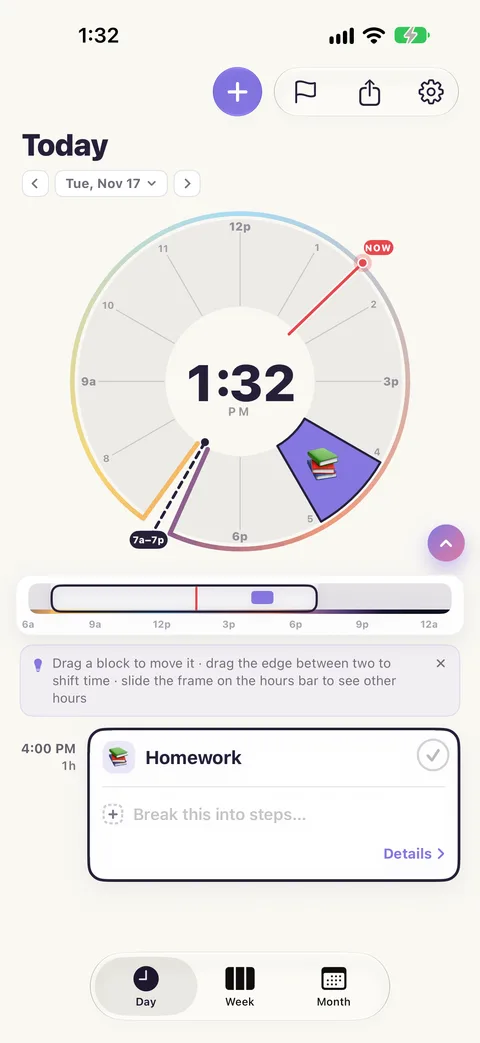
That is a block: a stretch of your day with a name. It is as long on the dial as it is in your day.
Step 4: Add two more
Do the same again for two more things, for example:
Dinner at 6:30 for 45 min
Piano at 5pm for 30 min
Each gets its own colour and an icon picked from its name. You now have a day.
Step 5: Move one
Plans change. Put your finger on a block on the dial and drag it round to a new time. If it runs into another block, that one moves along to make room: blocks never overlap.
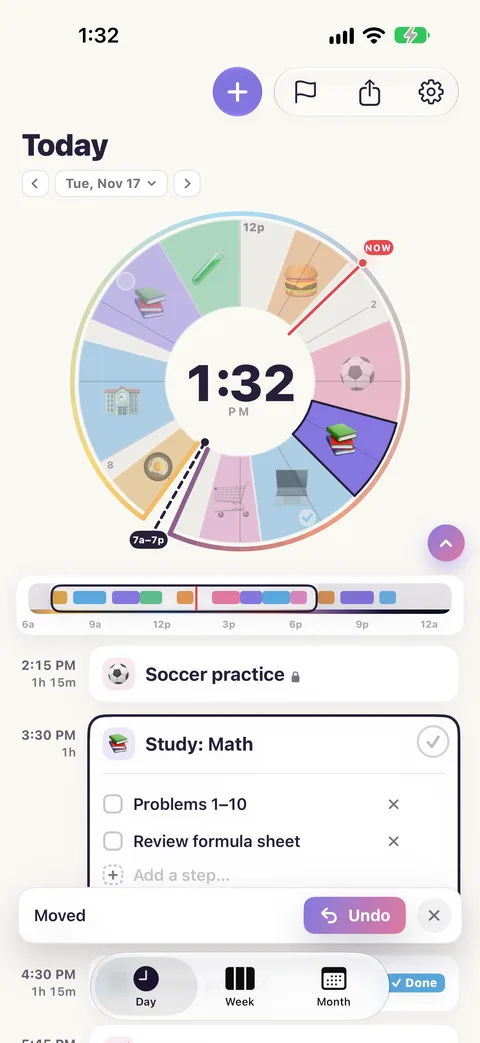
Did not mean to? Tap Undo.
Step 6: Finish one
Tap a block. Its card opens in the list. Tap the circle on the card to Mark done.
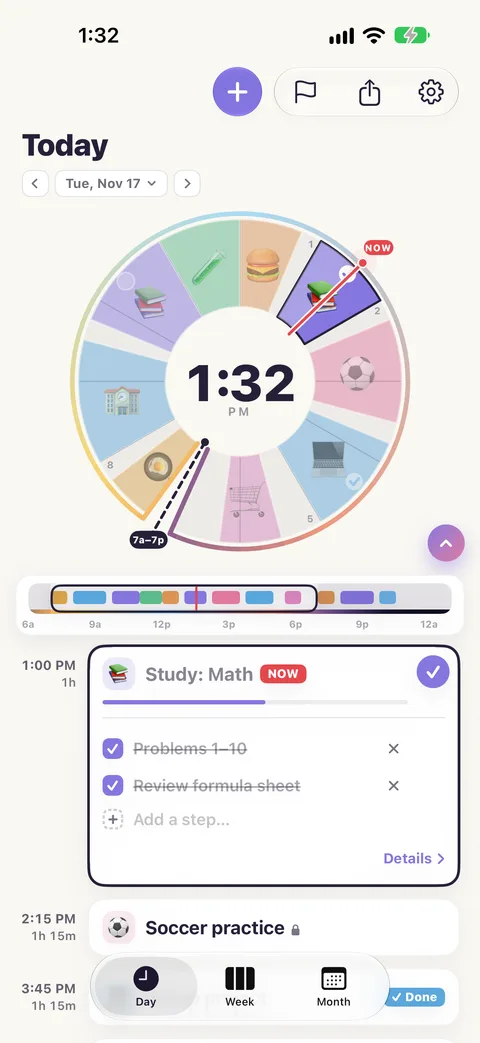
Tap the middle of the dial until it shows the count: "1 of 1 done". That number is your day's score.
Step 7: Say yes to a heads-up, if you want one
Once you have a block, Rondia offers: "A heads-up before each block?" Tap Turn on and your iPhone will tell you 10 minutes before each block starts. You can change your mind in ⚙ Settings.
That is all of it
Add, move, finish. Everything else in Rondia makes one of those three quicker.